

A field alias is the name of one piece of data. Form builders put the same alias on a form field, and that is how a value finds its field.
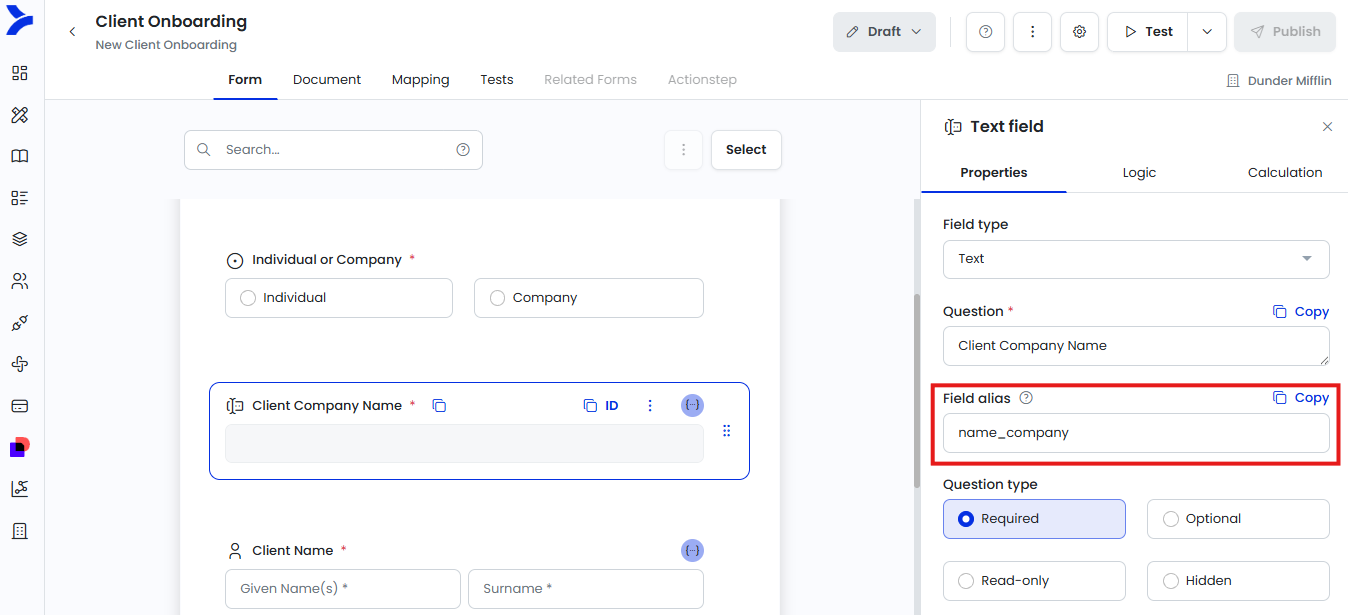
Create one alias for each field of your external system that you want to send. One call per alias.
POST /v1/clients/FieldAliases
{
  "name": "client_full_name",
  "label": "Client full name",
  "fieldType": "name"
}
The response is the ID of the new alias.
fieldTypedecides the format of the value you send later. It is one of:text,textarea,name,address,datetime,email,phone,number,currency,id,radio,select,checkbox.- Aliases of type
file,richtextandsectioncannot hold record values. - The name is cleaned before it is saved. It becomes lower case, and only letters, digits and underscores are kept.
Client-Nameis saved asclientname. Send names in the final form, for exampleclient_name. - The name and the label must each be unique. A duplicate returns
409.
If the forms exist already, ask the form builders for the aliases they used. Your aliases must have the same names, or the values will not reach the fields.
Update or delete a field alias
The name and label of a field alias can be updated with Update an alias by ID.
A field alias can be deleted with Delete an alias by ID, but only when no form field and no record value uses it.
For more information, see the Field Alias full list of APIs.