
The Matter Record in Smarter Drafter Pro allows you to capture data once and reuse it automatically across multiple forms related to matters. When set up correctly, it eliminates double-entry and ensures clean, consistent data across all automations. Data (structured as a Record) can be created or updated when a filling in a form, which will then allow the latest data to be used next time.
Pre-requisiteA subscription to Data-Driven Automation is required as part of a plan to access APIs with Smarter Drafter Pro. This will enable the ability to access Data-Driven Automation page in Smarter Drafter Pro to generate and manage API keys.
How it works
Initially when filling a form for a matter, there may or may not have any data, therefore the form filler may need to manually add the information
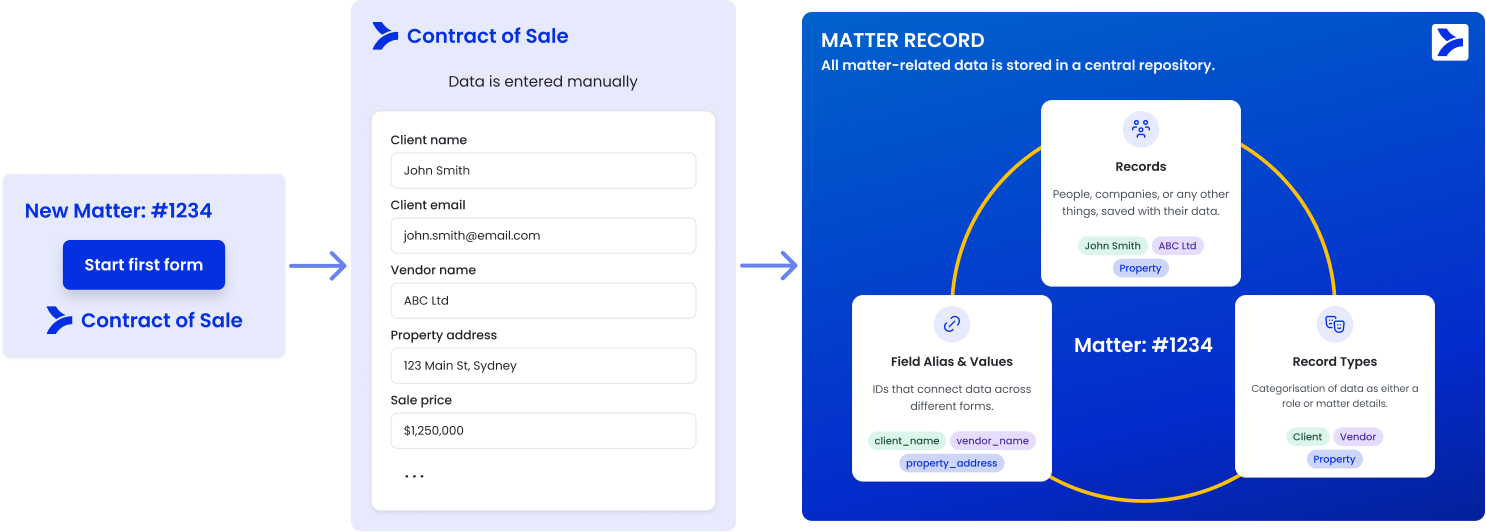
Next time filling in a form for a matter will automatically assign the records created from previous submissions, and auto-populate any of the data relevant for the form.
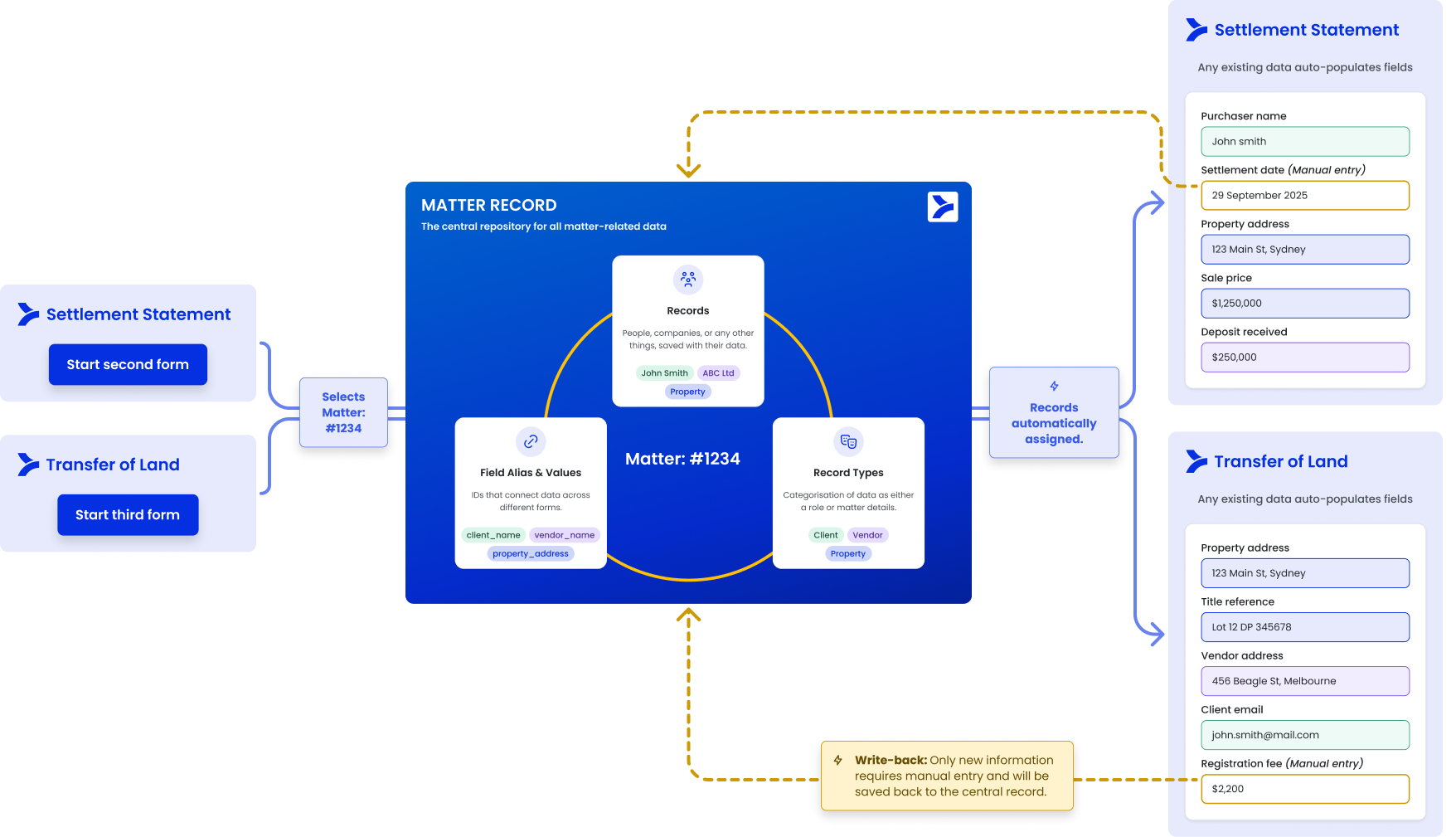
APIs for Matter Record
APIs for Matter Record enable external data sources to be supported, and bring in data to fill forms in Smarter Drafter Pro. This allows for source systems where the trusted data lives to be re-used, and any changes or created data in Smarter Drafter Pro can then be updated in the source system helping maintain data integrity across all systems.
With the Matter Record APIs, the core concepts revolve around:
- Matters: Relates to the matters in the external systems and helps act as the top level grouping of data and pulling
- Records: The individual data entities that live inside a Matter. These are the payloads of information - such as a specific person (Contact), a business entity (Company), or Matter Information (Matter Data) - that are used to pre-fill the form. A Record holds the actual field alias and values (e.g., "John Smith") that will populate the final document.
- Record Types: Categorisation of Records as Roles (eg., "Client", "Vendor"), or Matter Details (eg., "Trial Information") helping define how the Record relates to the matter.
- Field Alias: The unique identifier that is stored within a Record and holds the answer value that goes into the field in a form. Builders assign these aliases to specific questions or logic in the Word Add-in (e.g., client_full_name). When you push data via the API, you must target these aliases so the system knows exactly which field in the form to populate.
Forms that are automated in Smarter Drafter Pro will need to have field aliases and record types mapped. This determines the record types and field aliases that the document requires.